How it works
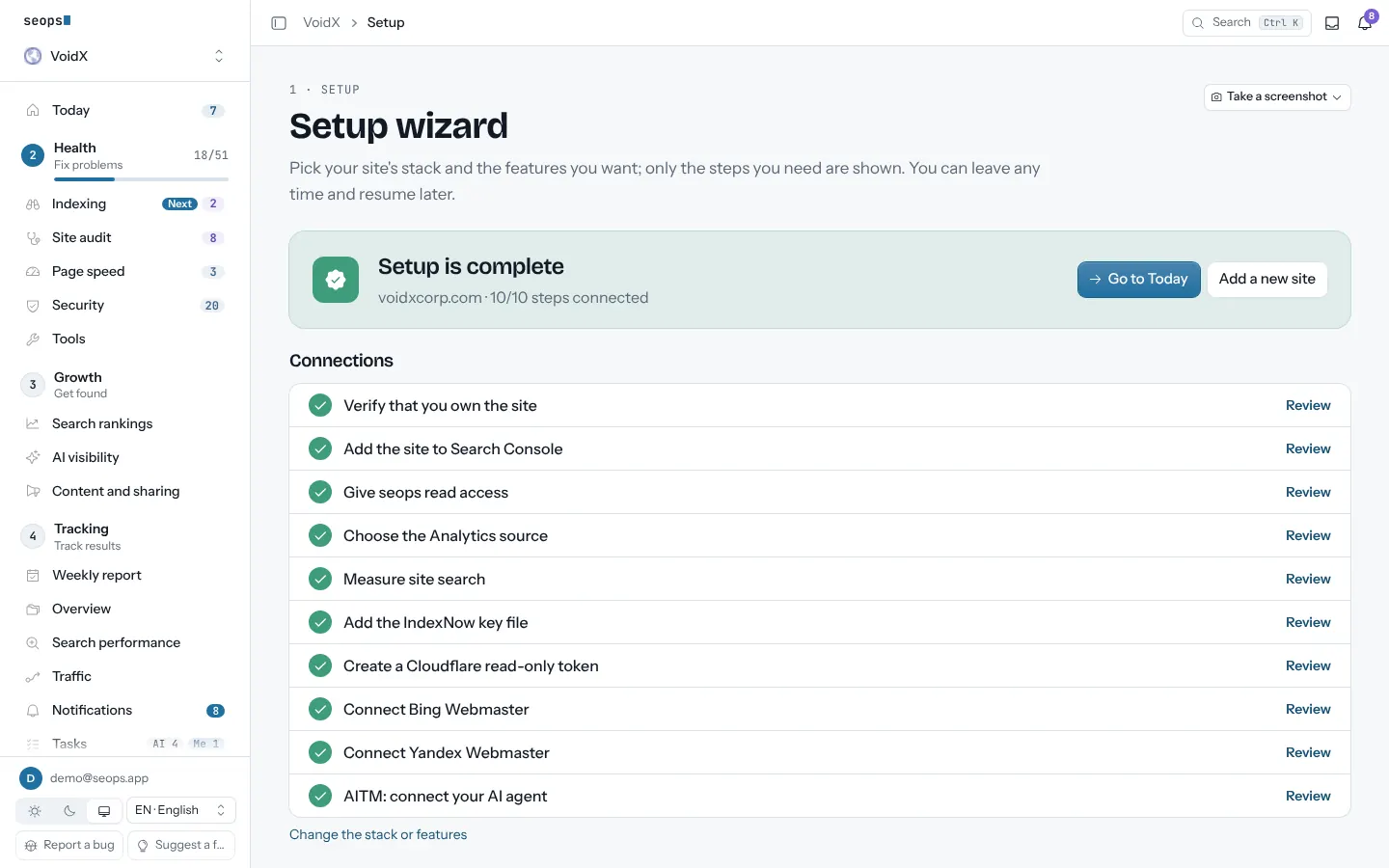
The setup wizard asks three things, the site, its stack and the features you want, and shows only the steps that apply. Every step has the link to click, the value to copy and a Check button; code steps can go to your AI agent. Skip any step and finish it later: Today shows what is still missing, and Account › Setup keeps the list.
Steps
-
Sign in with Google
Name, email and photo only. No card, no company form.
Why: Google sign-in means no password to store and nothing to reset.
-
Enter the domain; seops detects the stack
seops reads DNS and the home page: Cloudflare (DNS or proxy), WordPress or WordPress.com, Shopify, Wix, Vercel, Netlify, Cloudflare Workers/Pages, and the sitemap named in robots.txt. You can correct the guess.
Why: Only the steps that fit your stack are shown; Cloudflare steps disappear when the domain is not on Cloudflare, IndexNow when the platform cannot host a file.
-
Pick the features you want
Search Console, GA4, site search, IndexNow, Cloudflare security and AI crawlers, Bing, Yandex, rank tracking, AI visibility. Site audit and page speed need no setup at all.
Why: Each feature adds only its own step, so you are never asked for a key you will not use.
-
Prove the site is yours
A DNS TXT record, a file at /.well-known/seops-verify.txt or a meta tag in <head>; the wizard shows the way that fits your stack and verifies instantly.
Why: Nobody sees a site's data without this step. A site not verified within 7 days is deleted with its data.
-
Connect the sources you picked
Add the seops service account to Search Console as a Restricted user. For Analytics pick cookieless seops Analytics (one line on your site, recommended) or give the service account Viewer on GA4. For site search, paste the address of one results page; seops finds the search parameter and checks it. Then the IndexNow key file, a read-only Cloudflare token, a Bing API key and a Yandex token. Each step has a direct link, the value to copy, a Check button and Let your AI agent do it; properties are found for you.
Why: seops reads only what you grant, and nothing can be changed on your side with these permissions.
-
Connect your AI agent over MCP
Add https://app.seops.app/mcp to Claude, ChatGPT, Gemini or Claude Code and sign in with Google. Read tools are free for every account; the agent starts only the tasks you approve in the panel.
Why: A dashboard you never open is useless. Your assistant asks it for you and works the shared task list.
-
Start on Today
When setup is complete it leaves the project menu; Account › Setup keeps a summary of every connection, and skipped steps can be connected there later. Each project opens on Today: one next step with why and how, the roadmap Setup → Health → Growth → Tracking, and the last 28 days in plain words.
Why: You never have to work out where to start, and the menu follows the same four stages.
When the first data arrives
So you know what to expect and don't think something is broken.
| Search Console and GA4 reports | Within seconds of verification. Google publishes Search Console data with a 2–3 day delay, so the last days are always incomplete. |
| Site audit and page speed | The first audit runs within the hour of adding the site; page speed measures with it. |
| Rank tracking | The first check runs the next morning at 06:00 Türkiye time (03:00 UTC), then daily. |
| AI visibility | Weekly, on Monday morning; the first run after you add prompts. |
| Weekly report | Monday for the previous week, refreshed on Wednesday once Search Console has caught up. |
| Security check | External checks the first time you open the page; the code audit when your agent submits it. |
What you can rely on
- Keys and tokens are stored encrypted (AES-GCM); only the last 4 characters are ever shown again.
- Prompt history masks keys and passwords before saving, and you can lock entries with a password that is stored nowhere.
- No automation starts a task without your approval in the panel; agents work only on what you approved.
- Google scopes are read-only; seops cannot change Search Console or Analytics.
- Team members are free; the panel speaks 8 languages.
Start with one site, free
The first site is free forever and asks for no card. Every extra site is $2.50 a month.